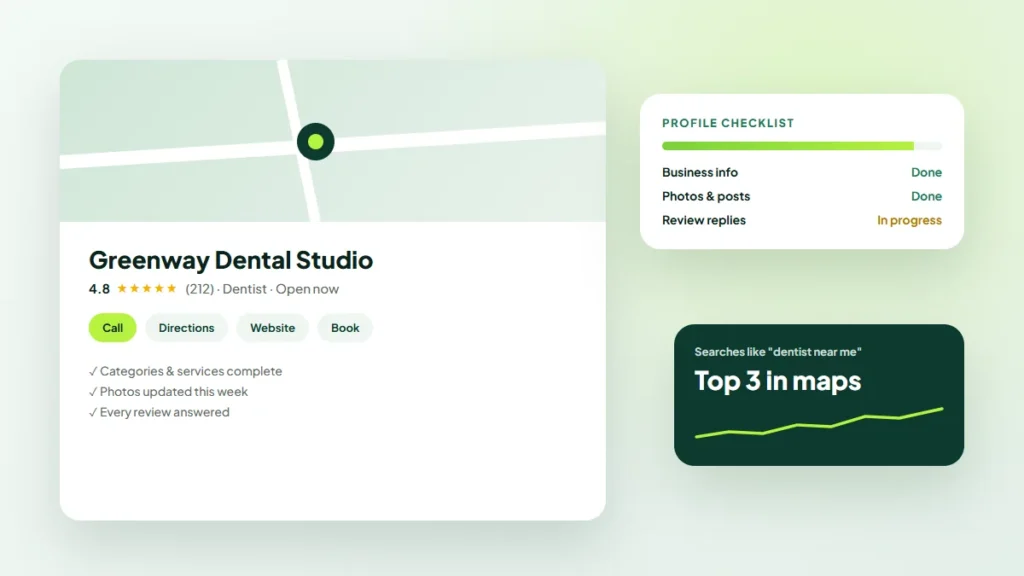
When someone nearby searches for a service like yours, the first thing they often see is not a website. It is a map and a short list of local businesses, each with ratings, photos, hours and a call button.
Your Google Business Profile powers that listing. This guide from the Twastia.io team walks through Google Business Profile optimization step by step, so more local customers find you, trust you and get in touch.
Why Your Google Business Profile Matters
For local searches, your profile can appear in Google Search and Google Maps before anyone reaches your website. In many cases, customers call, request directions or visit your site straight from the listing.
Google’s own guidance on local ranking says local results are based mainly on relevance, distance and prominence. You cannot change where a searcher is standing, but you can strongly influence how relevant and prominent your business looks.
Step 1: Claim and Verify Your Profile
Search for your business on Google Maps. If a listing already exists, claim it; if not, create one through Google Business Profile.
Complete verification using whatever method Google offers you. Until your profile is verified, many features and edits will be limited, and your changes may not appear publicly.
Step 2: Get the Core Details Exactly Right
Accurate basics are the foundation of local visibility. Small errors here can confuse both customers and search engines.
- Business name: use your real-world name exactly as it appears on your signage and paperwork. Adding extra keywords or locations can violate Google’s guidelines for representing your business and put your listing at risk.
- Address or service area: show your address if customers visit you. If you travel to customers and do not serve them at your location, set a service area and hide the address.
- Phone number: use a local number that is answered during business hours.
- Website: link to your homepage or the most relevant location page.
- Hours: keep regular hours current and add special hours for holidays and closures.
Step 3: Choose the Right Categories
Your primary category is one of the most important settings on your profile. Pick the one that best describes your core business, not every service you offer.
Then add a few secondary categories that genuinely apply. Look at the categories used by businesses ranking well in your area for ideas, but only choose those that truly describe what you do.
Step 4: Fill Out Every Relevant Section
A complete profile gives Google more information to match you with searches and gives customers more reasons to choose you.
Business Description
Explain what you do, who you serve and what sets you apart, in plain language. Mention your main services and area naturally, without stuffing keywords or adding links.
Services and Products
List each service or product individually with a short description. This helps your profile appear for more specific searches and answers questions before customers call.
Attributes
Add attributes that apply, such as accessibility features, online appointments or payment options. They help customers filter and compare options quickly.
Step 5: Add Real Photos, and Keep Adding Them
Photos help people decide whether to contact you. Upload clear, recent images of your storefront, interior, team, vehicles and finished work.
- Use your own photos rather than stock images.
- Add a sharp logo and a cover photo that represents your business well.
- Upload new images regularly, such as recent projects or seasonal products.
- Avoid adding text overlays or promotional graphics to every photo.
Step 6: Build a Steady Flow of Reviews
Reviews influence both visibility and trust. A steady stream of genuine, recent reviews tells customers your business is active and reliable.
How to Ask for Reviews
- Copy your review link from your Business Profile dashboard.
- Ask at the right moment, such as when a job is finished or a customer thanks you.
- Send the link by email or text so leaving a review takes seconds.
- Ask every customer, not just the ones you expect to be happy.
Never buy reviews, write them yourself or offer incentives in exchange for them. These practices break Google’s policies and can lead to removed reviews or restrictions on your profile. Our guide on how to get more Google reviews the right way covers ethical ways to grow them.
How to Respond to Reviews
Reply to reviews, positive and negative, in a timely and professional way. Thank people for positive feedback, and respond to complaints calmly with an offer to resolve the issue offline.
Step 7: Publish Updates
Google Business Profile lets you share updates, offers and events directly on your listing. Posting occasionally shows customers that your business is active and gives them a reason to act now.
Keep updates simple: a seasonal offer, a new service, a recent project or an upcoming event, each with a clear call to action.
Step 8: Keep Your Details Consistent Across the Web
Your business name, address and phone number, often called NAP, should match everywhere they appear. That includes your website, social profiles, industry directories and review sites.
Inconsistent details can confuse customers and weaken trust signals. Audit your main listings once or twice a year and correct anything outdated, especially after moving or changing phone numbers.
Step 9: Track What Your Profile Delivers
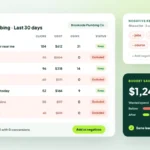
Your profile’s performance section shows how people find you and what they do next, including calls, website clicks and direction requests. Review it monthly to spot trends.
Add UTM tracking parameters to your website link so visits from your profile appear clearly in Google Analytics. That lets you see whether those visitors become leads.
Key Takeaways
- Claim, verify and complete every relevant section of your profile.
- Use your real business name and choose your primary category carefully.
- Upload genuine photos and keep your hours and details current.
- Ask every customer for a review and reply to them professionally.
- Keep your business details consistent across the web and track results monthly.
Your profile works best alongside a strong website. Location pages, local content and solid on-page optimization all support local rankings, and our online visibility guides cover each of them in more depth.
Get Found by More Local Customers
Google Business Profile optimization is an ongoing habit, not a one-time setup. If you would rather have specialists manage it with you, explore the Twastia.io online visibility services.
Want to know how your listing compares with local competitors? Request a free growth audit, and Twastia.io will review your profile, reviews and local listings, then share the improvements most likely to bring in more calls and visits.