
Many businesses start a blog with energy, publish a handful of posts and then stall. The problem is rarely a lack of ideas. It is the lack of a plan that connects each piece of content to something the business actually needs.
A content calendar solves that. Below is the step-by-step process digital marketing agency Twastia.io uses to build a content calendar that attracts the right readers and moves them toward becoming leads, written so you can apply it yourself.
What a Content Calendar Is (and Is Not)
A content calendar is a schedule of what you will publish, when, where and why. The “why” is the part most calendars skip, and it is the part that matters most.
It is not a list of random topics or a promise to post every day. A good calendar is realistic, tied to business goals and easy for a small team to keep up with.
Step 1: Define What Content Should Achieve
Start with one or two clear goals for the next quarter. Without them, every idea looks equally good and nothing gets finished.
- Grow organic traffic to a key service or product category.
- Generate leads through a downloadable guide or consultation offer.
- Answer the questions your sales team hears every week.
- Support a launch, a seasonal promotion or a new location.
Write down how you will measure each goal, such as form submissions from blog readers or newsletter sign-ups. Page views alone rarely tell you whether content is helping the business.
Step 2: Collect Topics From Real Demand
The best topics come from questions people are already asking. You do not need expensive tools to find them.
- Your inbox and phone calls: list the questions customers ask before they buy.
- Google itself: check autocomplete, “People also ask” and related searches for your main topics.
- Google Search Console: look for searches where you appear but rarely get clicked.
- Competitor sites: note topics they cover well, and the ones they cover poorly.
Group the ideas into a few themes, often called content pillars, that line up with your services. That keeps your blog focused and builds topical depth, which supports your wider SEO strategy. Each post still needs solid basics, which our on-page SEO checklist covers.
Google’s guidance on creating helpful, people-first content is a useful test for every topic you add.
Step 3: Map Topics to the Buyer Journey
Not every reader is ready to buy. Plan a mix of content for each stage so you help people early and stay in the picture when they decide.
Awareness Content
Educational guides that explain a problem or answer a broad question. These pieces bring new readers in and introduce your brand.
Consideration Content
Comparisons, checklists, pricing explainers and “how to choose” articles. Readers at this stage are weighing options and want specifics.
Decision Content
Service pages, process explanations and answers to final objections. This content makes it easy to say yes and contact you.
Step 4: Choose a Publishing Rhythm You Can Keep
Consistency beats volume. A small business publishing one strong article every two weeks will usually do better than one that publishes daily for a month and then disappears.
Be honest about capacity. Count the hours needed for research, writing, editing, images and promotion, then set a pace that fits around client work.
Step 5: Build the Calendar Itself
A shared spreadsheet or a simple project board is enough. What matters is that every planned piece has the same set of details.
- Working title and the main question it answers.
- Focus keyword and search intent.
- Content pillar and buyer journey stage.
- Goal and call to action, such as booking a call or downloading a checklist.
- Owner responsible for writing and approving.
- Draft, review and publish dates.
- Promotion plan: email, social channels and internal links from existing pages.
- Status: idea, drafting, in review, scheduled or published.
Plan roughly a quarter ahead in detail and keep a looser list of ideas beyond that. This leaves room for timely topics without losing focus.
Step 6: Plan Promotion, Not Just Publishing
Publishing is only half the job. Each piece in your calendar should have a few planned ways to reach readers after it goes live.
- Send it to your email list with a short, useful summary.
- Share key points on the social channels your customers actually use.
- Add internal links from related posts and service pages.
- Give your sales team a link they can send when the question comes up.
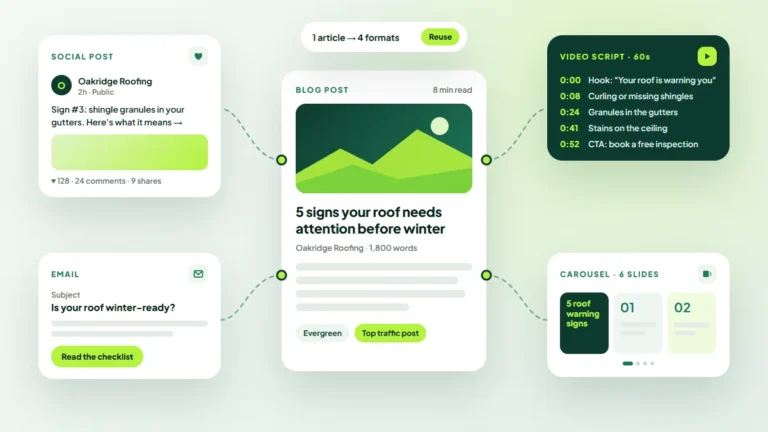
One article can also become emails, social posts and short videos. Our guide on how to repurpose blog content across every channel shows how.
Step 7: Schedule Time to Update Old Content
Your existing posts are often your fastest wins. Refreshing an article that already gets some traffic can be quicker than writing a new one from scratch.
Block time in the calendar every month or quarter for updates. Check facts, improve weak sections, add internal links and strengthen the call to action.
Common Content Calendar Mistakes
- Choosing topics because they are interesting to you rather than useful to buyers.
- Planning too much and burning out within weeks.
- Writing posts with no call to action or next step.
- Never reviewing results, so the same weak formats keep getting repeated.
Key Takeaways
- Start with business goals and measurable outcomes, not topics.
- Find ideas in real customer questions and search data.
- Balance awareness, consideration and decision content.
- Pick a sustainable rhythm and plan promotion for every piece.
- Reserve time for refreshing content that already performs.
Frequently Asked Questions
How far ahead should a content calendar be planned?
Many small teams plan around three months in detail. That is far enough ahead to stay organized, but short enough to adjust when priorities or search trends change.
What is the best tool for a content calendar?
The one your team will actually open. A shared spreadsheet works well for most small businesses, while a project board can help when several people hand work to each other.
How do I know if my content calendar is working?
Review the goals you set in step one every month. Look at leads, sign-ups and inquiries that started on a blog post, not just traffic, and shift future topics toward what performs.
You will find more ideas for planning, writing and promoting content in our content marketing guides.
Turn Your Calendar Into Results
A content calendar is a living document. Review it monthly, keep what brings in qualified readers and drop what does not. If you would rather have a team plan and produce it with you, explore the Twastia.io content marketing services.
Ready for a clear starting point? Request a free growth audit, and Twastia.io will review your existing content, highlight gaps against what your customers search for and suggest the topics worth tackling first.